Know where you stand in every drive
Marquee shows students what they can apply to and why, helps them build a resume recruiters like, and keeps every round and offer update in one place.
Less confusion, more preparation
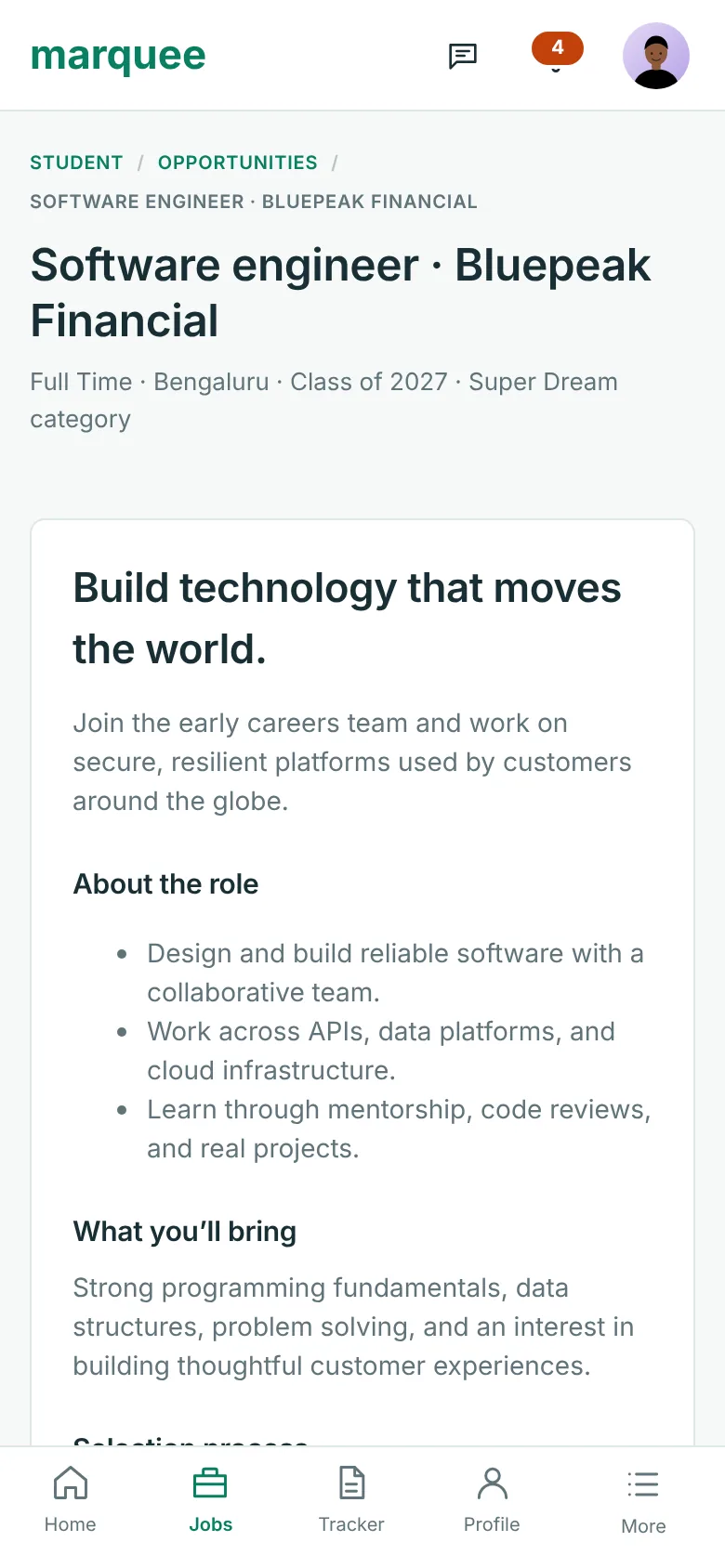
Eligibility explained
Each check (academics, deadline, PPT attendance, policy) is shown with the reason and what to do next.
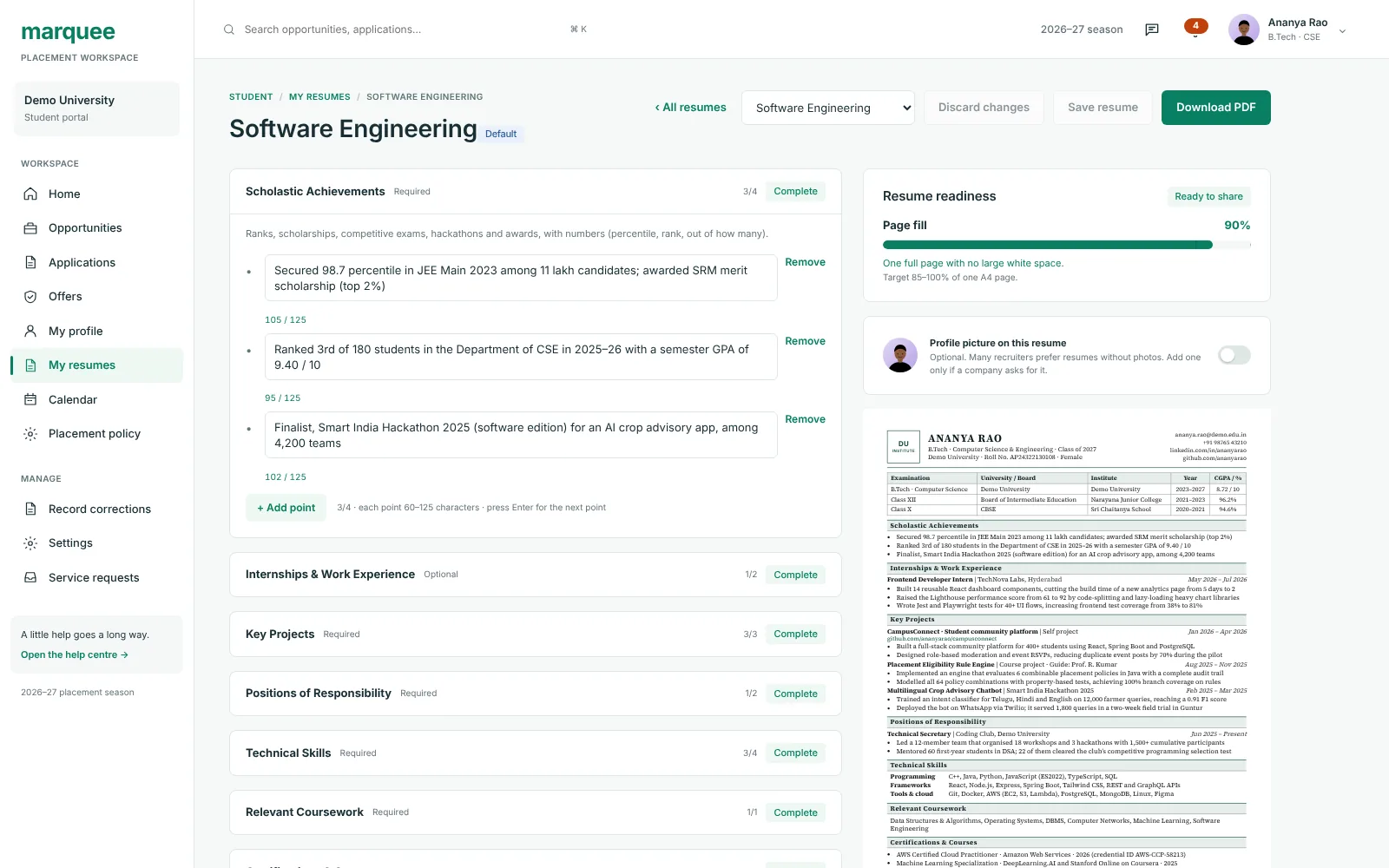
One-page resumes
Role-specific resumes with live guidance; pick one for each application.
Never miss an update
Deadlines, PPTs, shortlists and offer responses as to-dos and notifications.
Transparent and in your control
Students consent at activation, can download their data, request corrections with evidence, and raise privacy requests, as the DPDP Act requires.
- Withdraw before the deadline
- Accept or decline offers with a one-time code
- Opt out for higher studies or entrepreneurship with approval
- Works on any phone, at any zoom level
A clear picture of the season, from the college
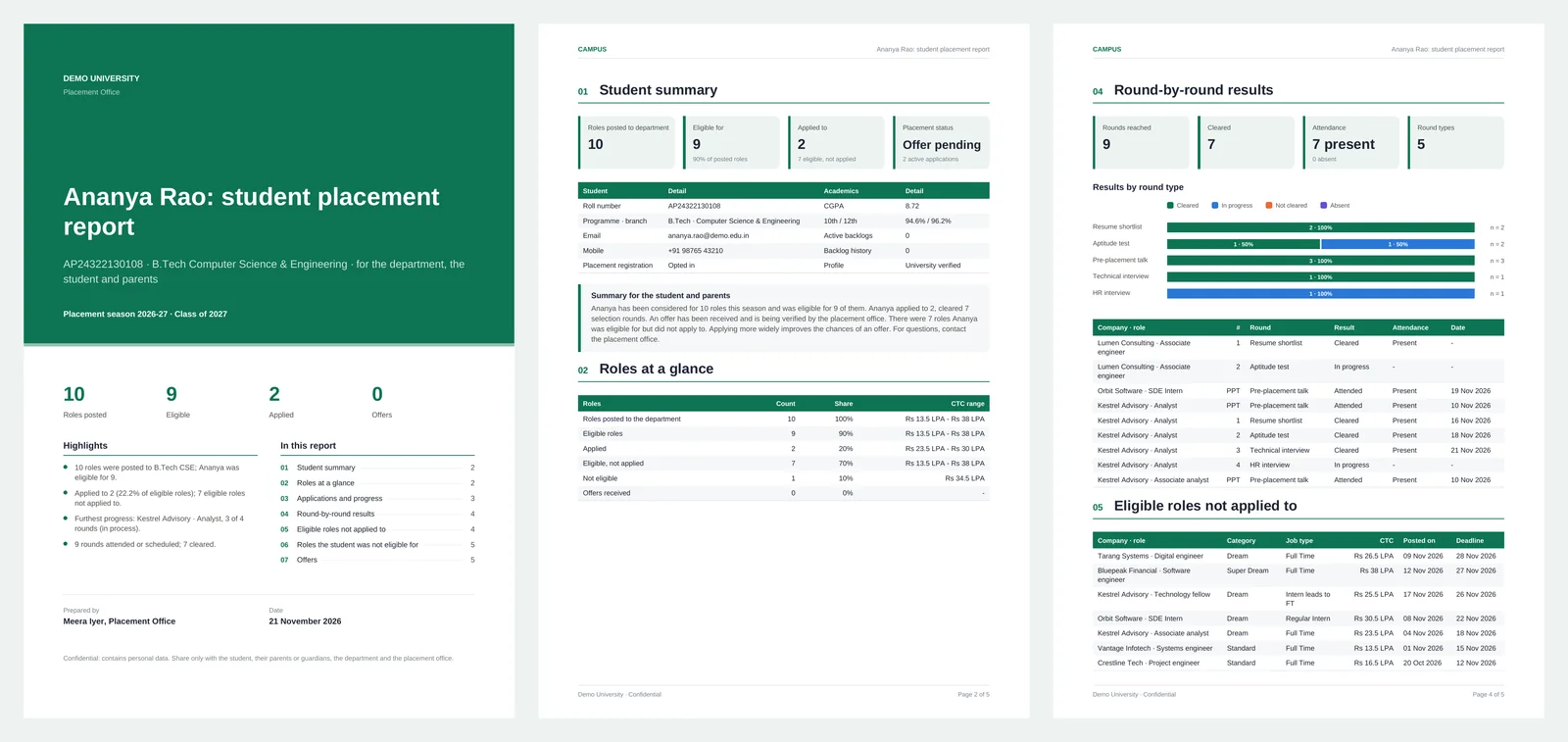
Parents often hear about placements second-hand. With Marquee, the college can share a student placement report: the companies that visited, the roles the student was eligible for, the rounds they cleared and any offers, with a short summary in plain language.
- Factual, generated from the college’s own records
- Eligibility explained when a student could not apply
- Offers, verification and joining date in one place
- Shared by the college as its policy allows
Questions from students & parents
Can my parents see my placement progress?
Your college can share a student placement report with you and your parents or guardians. It shows the roles you were eligible for, your applications, rounds and offers.
How do I get access?
Your university imports your record and sends an activation email. Activate, check your details and add your marksheets.
Why can’t I apply to a drive?
Open the opportunity: every eligibility check is listed with the reason and the next step.
Does it work on my phone?
Yes. The student app works in any mobile browser and can be installed to the home screen.
Can I see which roles I missed?
Yes. Your opportunities list shows every role, whether you were eligible, and the deadline, so nothing is missed by accident.
See your next placement season in Marquee
A 30-minute walkthrough with your placement data model, your policy and your reports, and a pilot plan you can take to your leadership.