Run your entire placement season in one place.
Marquee is campus placement software for Indian universities and colleges. It runs your policy, drives, resumes and offers, and turns the same data into NIRF, NAAC and NBA-ready reports. Your placement cell spends its time on students and recruiters, not spreadsheets.
- Built for Indian placement practice
- NIRF · NAAC · NBA · AISHE reports
- DPDP Act 2023 ready
Built for the people who run placements
Placement season shouldn’t run on spreadsheets and WhatsApp groups
Most placement cells still stitch together Google Forms, Excel, email and messaging groups. Data is re-typed for every recruiter, every rule is checked by hand, and accreditation numbers are rebuilt from scratch each year.
Weeks lost to manual work
Eligibility lists, resume chasing and recruiter shortlists are rebuilt by hand for every drive.
Policies that are hard to enforce
The placement policy lives in a PDF circular, so it is applied unevenly and disputes follow.
Reports rebuilt every year
NIRF, NAAC and NBA submissions mean digging through mailboxes for offer letters and salary figures.
From the university list to the accreditation report
One connected flow. Every step writes to the same record, so nothing is typed twice.
Import & verify
Upload the university list (six columns are enough). Students activate, check their record and upload marksheets; mismatches become correction requests.
Set the policy
Configure the rules your college follows, get the Director’s approval, and every application is checked the same way.
Run drives
Turn a JD into a drive with roles, eligibility and hiring stages. Eligible students are notified; rounds, results and offers update in one place.
Report outcomes
Placement, NIRF, NAAC 5.2, NBA 4.6 and AISHE figures come straight from verified offers, as branded PDFs and live Excel.
Designed around how placements actually run
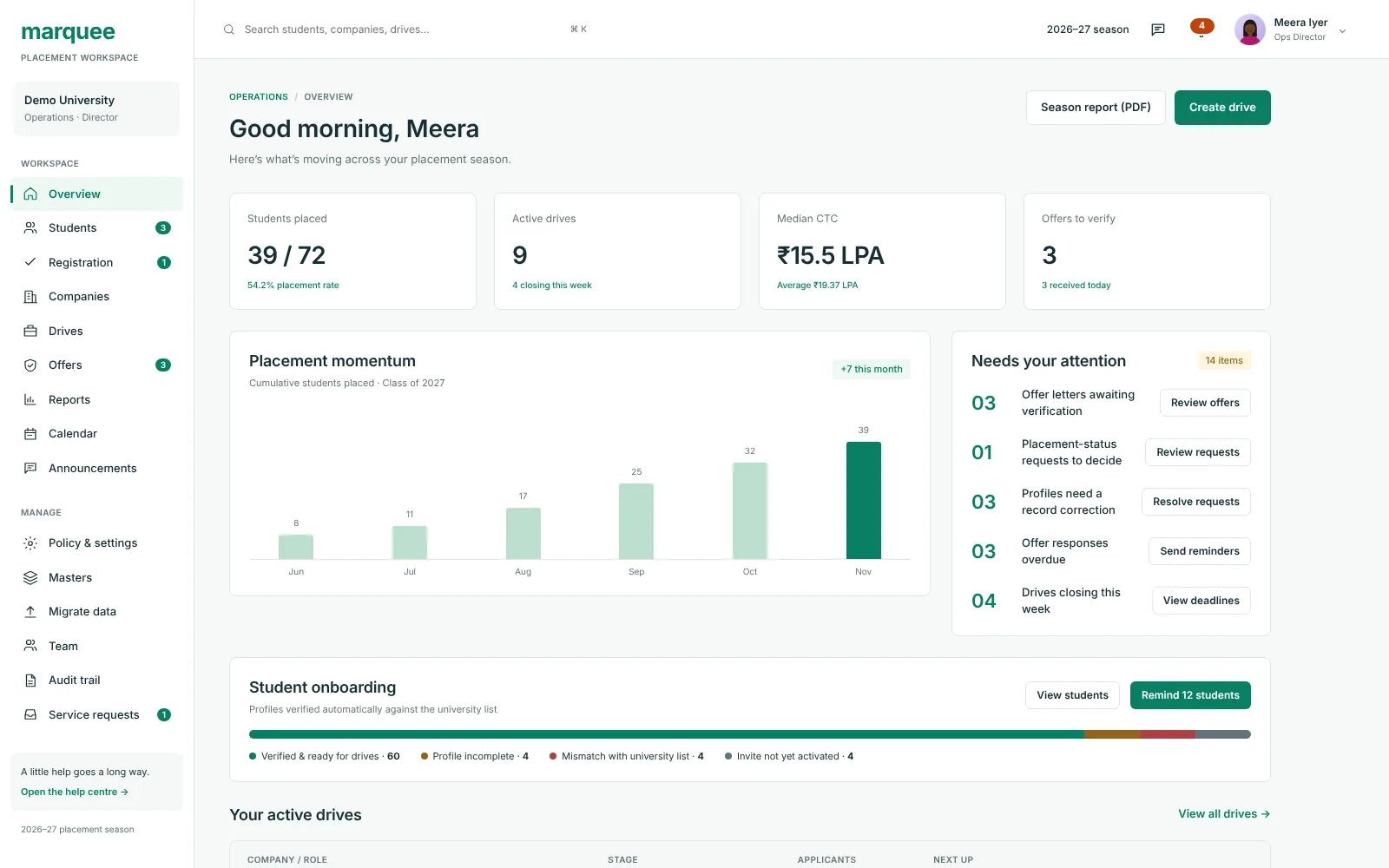
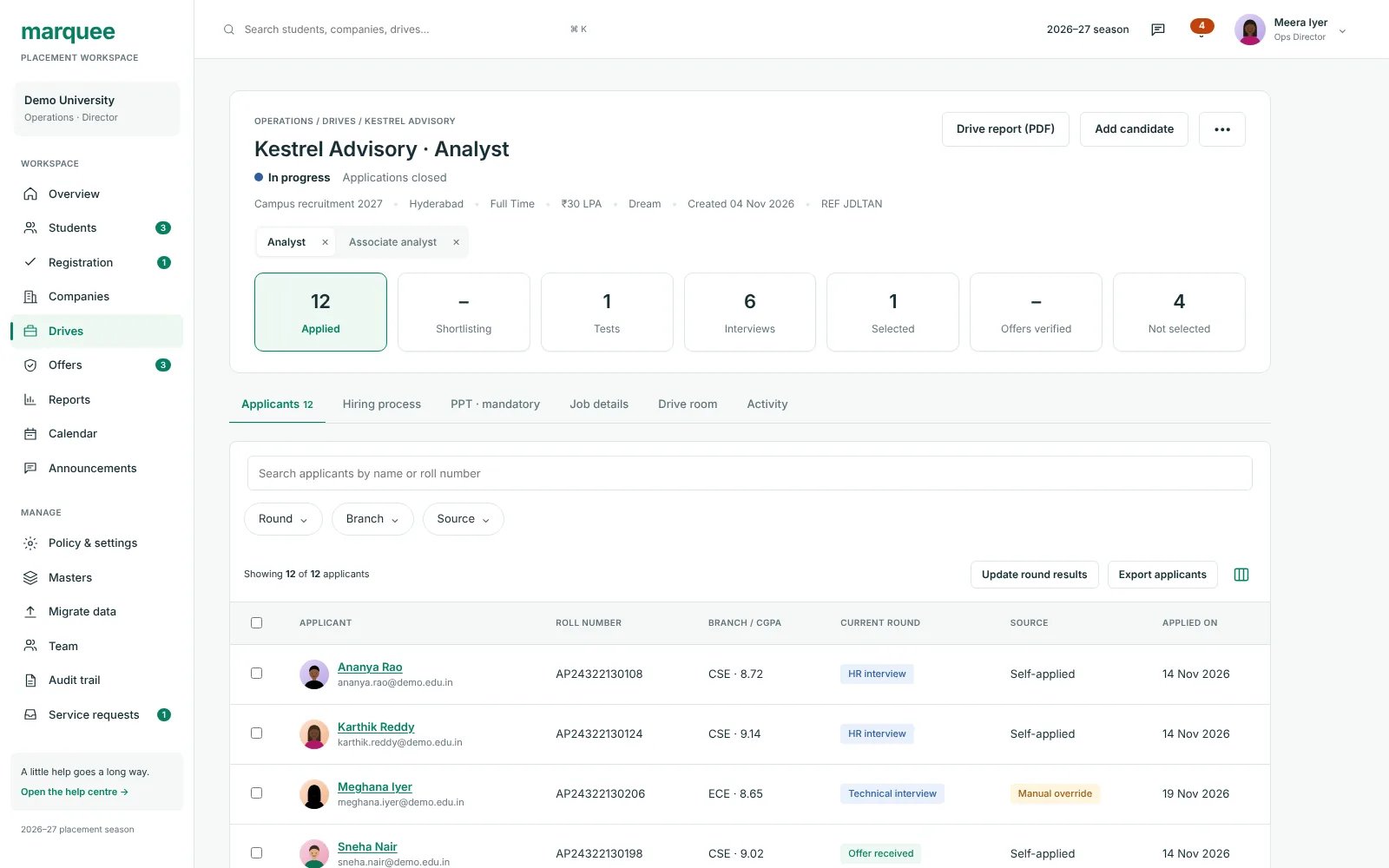
Every drive, round and offer under control
A single workspace for the whole placement cell: drives with multiple roles, eligibility computed automatically, round results in bulk, offer verification and a live attention queue for what needs you today.
- Create drives from a JD: add, duplicate or remove roles in one click
- Automatic eligibility with program → branch selection
- Drag-to-reorder hiring stages, also mid-drive
- Round results for a whole batch in a few clicks
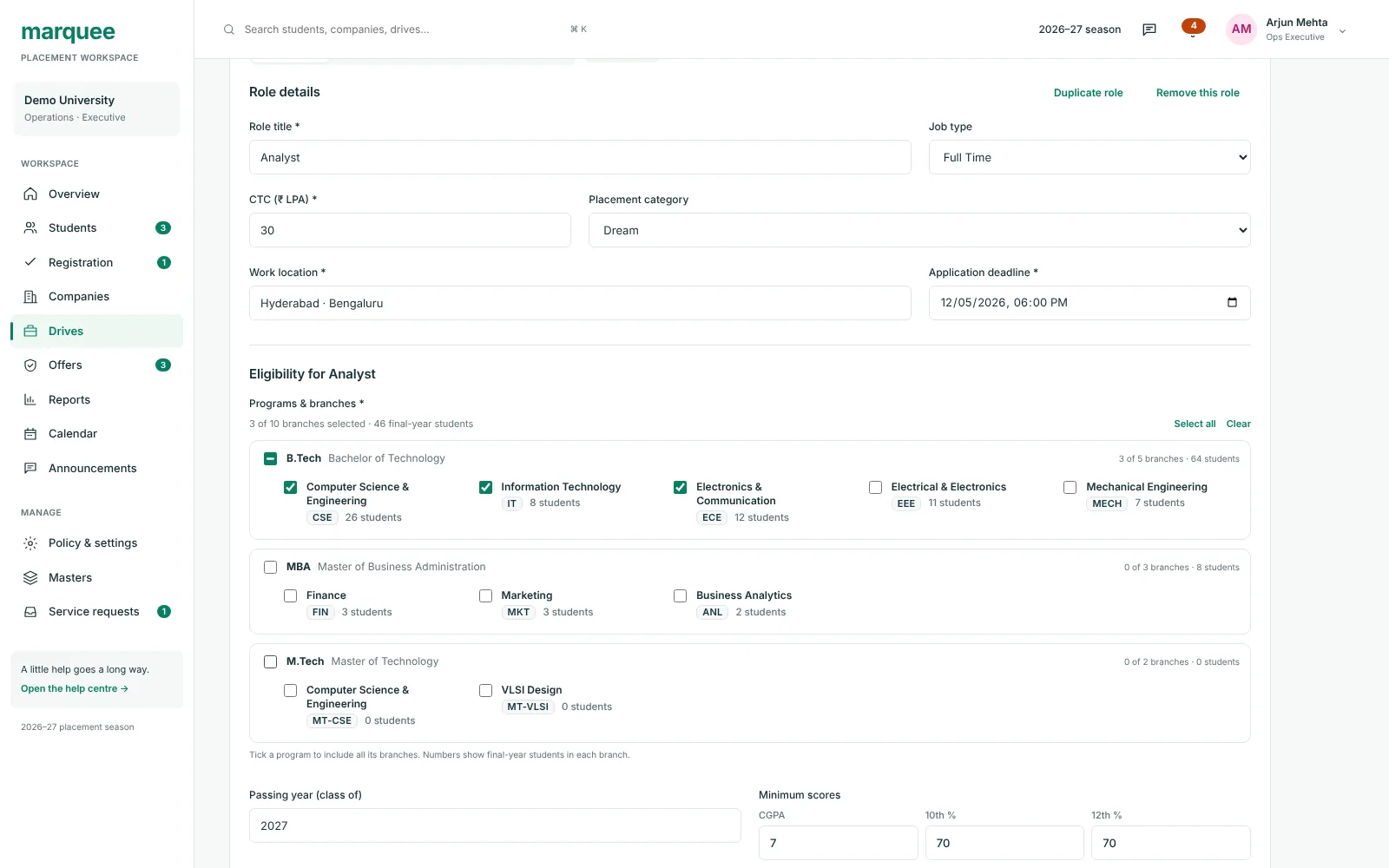
Clear eligibility, better resumes, no missed updates
Students see exactly why they can or cannot apply, build one-page resumes that recruiters prefer, choose which resume to send, and track every round and offer from their phone.
- Eligibility explained check by check
- Up to three role-specific one-page resumes
- Custom resume sections under the same rules
- Install on the phone like an app
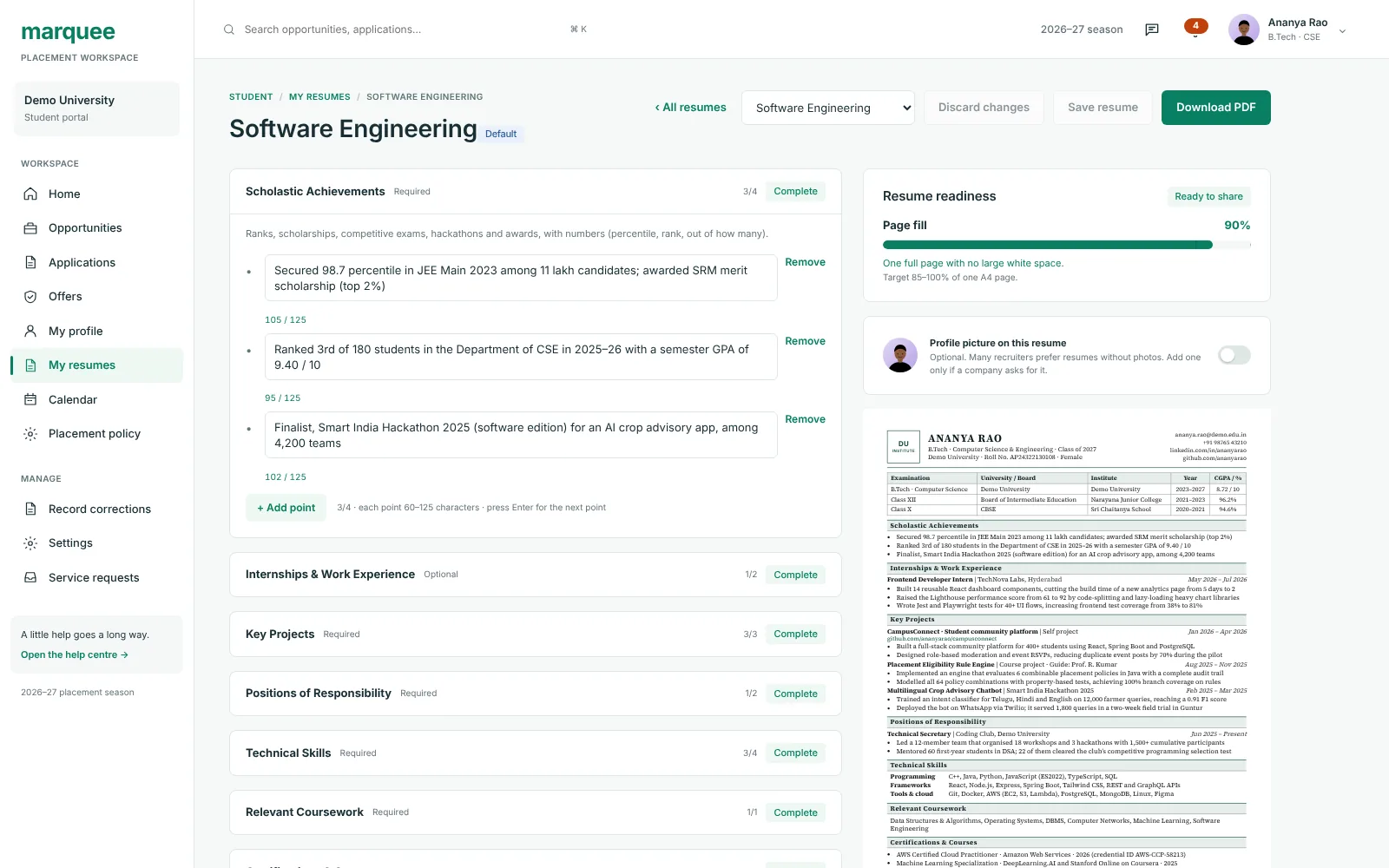
Outcomes you can defend in any review
Season health, placement rate by branch, CTC distribution and recruiter trends, plus the accreditation pack, all computed from verified offers and evidence already in the system.
- NIRF graduation-outcome tables, incl. 3-year view
- NAAC 5.2.1–5.2.3, NBA 4.6 and AISHE sheets
- Consulting-style PDF reports with your branding
- Every number traceable to a record
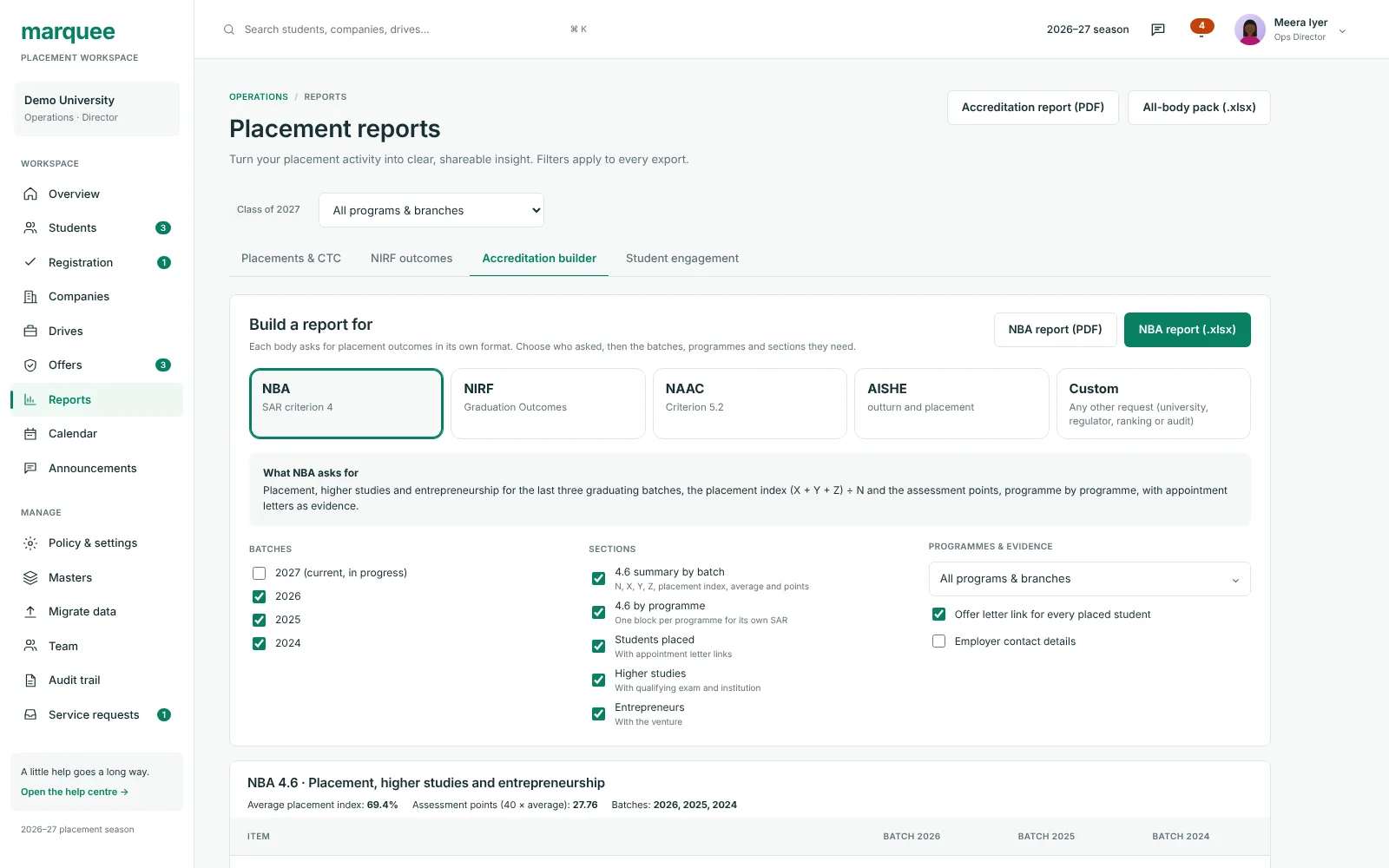
Clean shortlists and a fair, fast process
Recruiters get consistent applicant exports with the columns they ask for, verified academic data and resumes in one format, and a pre-placement talk that only attendees can follow up on.
- Applicant workbooks with custom column templates
- Verified CGPA, backlogs and 10th/12th scores
- One resume format across every applicant
- Recruiter portal on the roadmap
Your placement policy, applied the same way for every student
Your Director sets the college’s placement rules once. From then on every application is checked against them, every student sees exactly why they can or cannot apply, and every exception is approved and recorded.
- Fewer disputes: the reason is always on screen
- Exceptions approved and recorded, never informal
- Next season’s policy prepared without touching the live one
- Profile verified by the placement cell
- Programme & branch: B.Tech CSE
- Academic criteria met
- Pre-placement talk attended
- College placement policy
- Applications open
Your NIRF and NAAC numbers, already done
Offers are verified against the letters, and every student record carries category, gender and progression details. So the accreditation tables come straight out of the system, with the evidence behind each row.
Charts show illustrative data for a demo university.
View data
| Period | Value |
|---|---|
| Aug | 96 |
| Sep | 260 |
| Oct | 434 |
| Nov | 588 |
| Dec | 704 |
| Jan | 790 |
| Feb | 887 |
| Mar | 964 |
View data
| Item | Value |
|---|---|
| B.Tech CSE | 94% |
| B.Tech IT | 91.1% |
| MBA | 88.2% |
| B.Tech ECE | 85.9% |
| B.Tech EEE | 77.8% |
| B.Tech Mech | 72.2% |
| B.Tech Civil | 63.3% |
The complete placement toolkit
Not a job board and not an ERP add-on: a system built for the placement cell’s workflow.
Student records & verification
Six-column import, auto-verification against the university list, correction requests with evidence.
Learn morePlacement policy
Your college’s rules applied to every application, with approvals and a full history.
Learn moreDrives & eligibility
JD to drive, multiple roles, program → branch eligibility, PPTs with attendance, reorderable rounds.
Learn moreOne-page resume builder
IIT/IIM-style template, guidance as students type, live page fill, custom sections, role-specific versions.
Learn moreOffers & joining
Letter verification, OTP-confirmed responses and a joining tracker.
Learn moreReports & analytics
Branded PDF reports, live Excel with formulas, NIRF/NAAC/NBA/AISHE, engagement audit.
Learn moreStudent placement report
One student’s season for HODs, students and parents: roles, eligibility, rounds, attendance and offers.
Learn moreAccreditation pack
NIRF graduation outcomes, NAAC 5.2, NBA placement index and AISHE tables from one dataset.
Learn moreAnnouncements & drive rooms
Targeted announcements by programme or branch, a room for every drive, and reminders before deadlines.
Learn moreMigration
Bring students, past placements and recruiters from any spreadsheet or portal, with a dry run and undo.
Learn moreSecurity & DPDP
Consent, data rights, role-based access and a complete audit trail.
Learn moreMobile & accessible
Installable on phones, works at 400% zoom, keyboard-friendly and WCAG 2.1 AA tested.
Learn more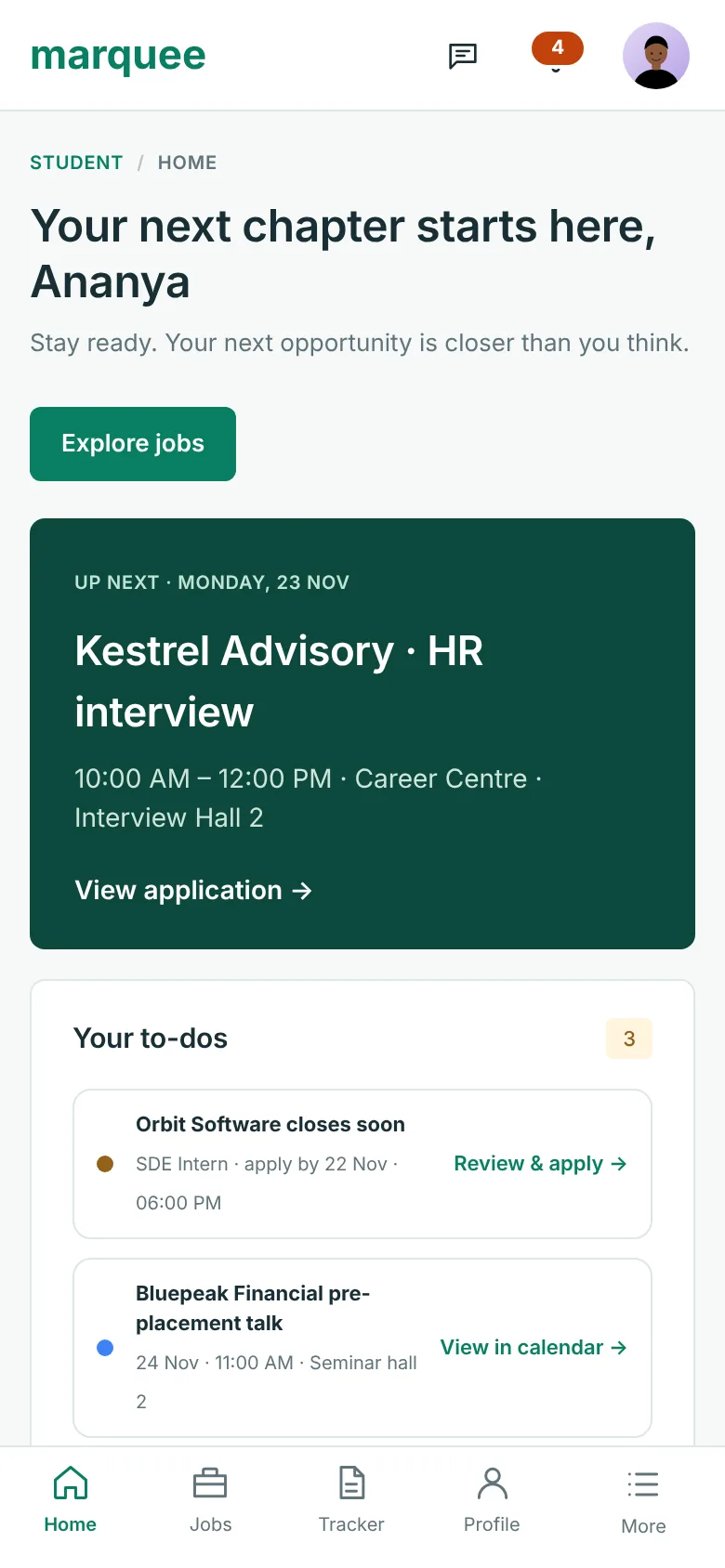
Placement updates students actually read
Students install Marquee on their phone, see every eligible opportunity with the reason behind each decision, and never miss a deadline, round or offer response.
- To-dos for deadlines, PPTs and pending offer responses
- One-tap apply with the right resume
- Withdraw before the deadline
- Accept or decline offers with a one-time code
Built today for the placement cell. Growing into the whole career journey.
Recruiter portal
Companies post JDs, review shortlists and upload round results directly, no more emailed spreadsheets.
Interview scheduling
Slots, panels, rooms and QR attendance with clash detection across drives.
AI JD reading
Read any JD and fill roles, CTC and eligibility, with confidence scores you can review.
Questions universities ask us
What is Marquee?
Marquee is campus placement software for universities and colleges. It runs the whole placement season, student records, a configurable placement policy, drives and eligibility, one-page resumes, round results, offers and joining, and produces NIRF, NAAC, NBA and AISHE-ready reports from the same data.
Who is it for?
Training and placement officers (TPOs) and placement cells run it day to day. Students use it to see eligibility, apply and track offers. Deans, IQAC teams and vice-chancellors use its reports. Recruiters receive clean, consistent shortlists.
Can we move from spreadsheets or our current portal?
Yes. The migration wizard maps your columns automatically, translates values (branch names, categories, ₹ amounts, dates), shows a dry run with every row that would be added, updated or rejected, and can be undone. Six columns are enough to start: roll number, name, university email, program, branch and passing year.
Does it support our placement policy?
Yes. Your Director configures the rules your college follows once; every application is then checked against them and students see the reason behind every decision. Policy changes need approval and are recorded.
Is student data safe?
Marquee is built around India’s Digital Personal Data Protection Act, 2023: consent at activation, a privacy notice, data download and correction, erasure requests, role-based access and a full audit trail. See the Security page for details.
How is Marquee priced?
Pricing depends on the number of graduating students and the modules you need. Talk to our team for a quote and a pilot plan.
See your next placement season in Marquee
A 30-minute walkthrough with your placement data model, your policy and your reports, and a pilot plan you can take to your leadership.