Every student’s resume, recruiter-ready and exactly one page
A university template that guides students as they write, the right length for every point, the right number of entries per section, and a live meter that fills exactly one page. No white space, no overflow.
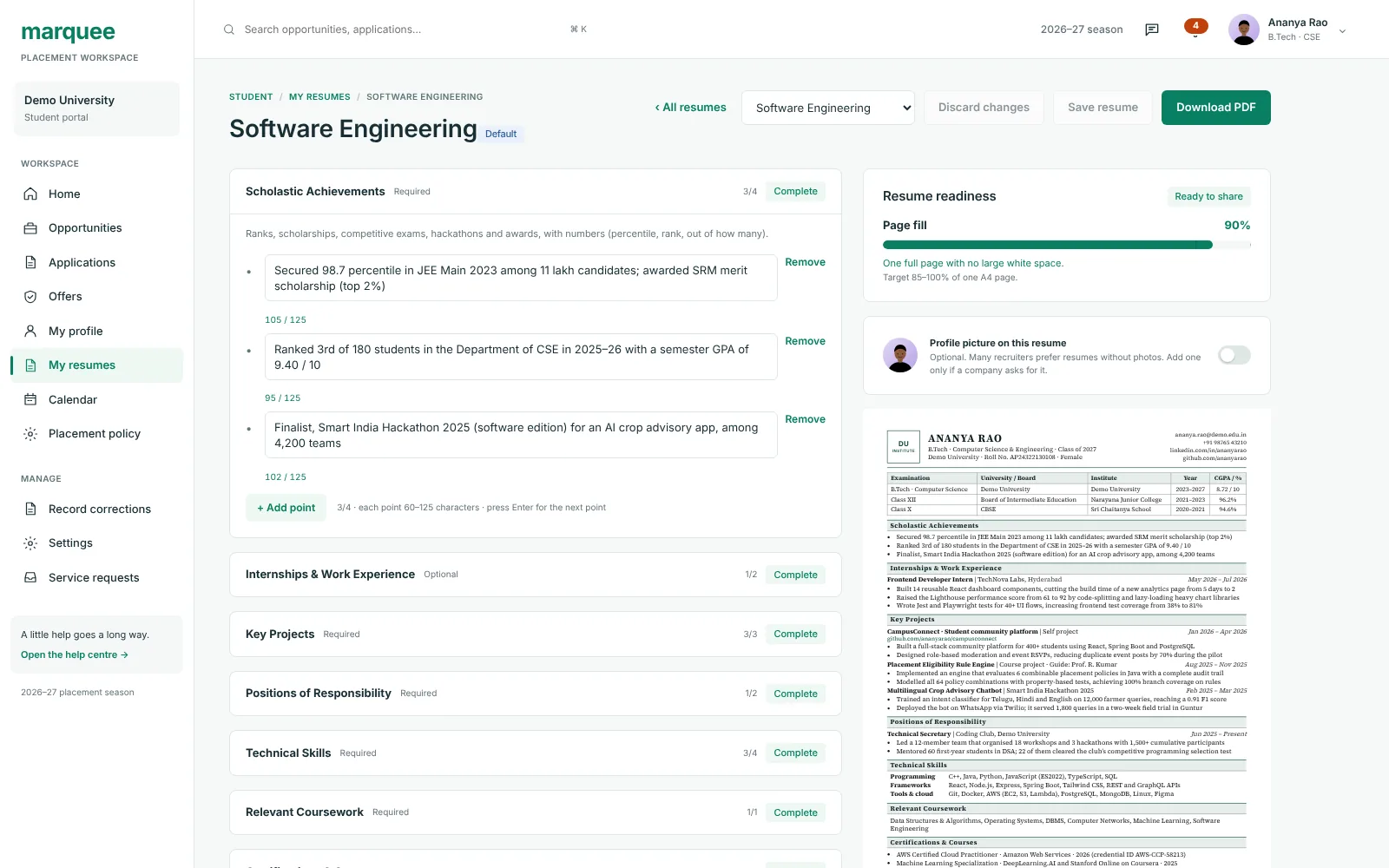
Rules students can see as they type
Guidance on every point
A live counter on each point helps students write lines that fill the page cleanly.
Section limits
Minimum and maximum entries per section, set by the Director in Masters.
Live page fill
A meter shows how full the A4 page is and how many lines are free or over.
Custom sections
Publications, languages or volunteering, with the same guidance as every other section.
Role-specific resumes
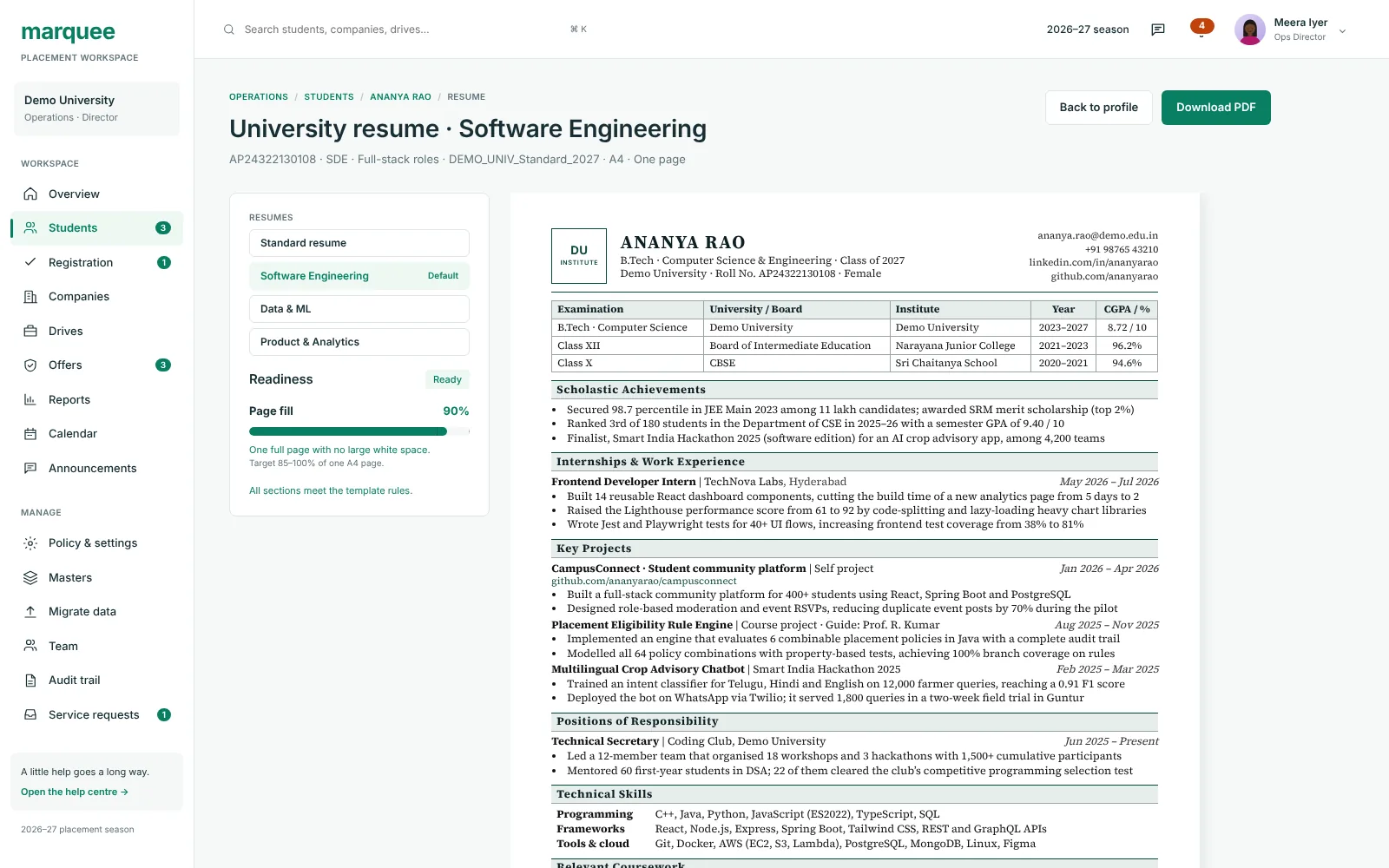
Several resumes per student (for example Software, Data and Core); choose one per application.
Verified academics
The education table comes from the verified university record, not typed by students.
One format across every applicant
Recruiters receive resumes in one consistent format, and the placement cell can see who is ready and who needs help before a drive opens.
- Resume readiness on the students list
- Optional photo per resume, off by default
- Drafts saved automatically and restored
- Print-ready PDF, exactly one page
One-page resume builder: common questions
Why guide the length of each point?
Very short lines leave visible white space on the printed page and long ones wrap awkwardly. Guided lengths keep every point to one clean printed line.
Can students add sections that aren’t in the template?
Yes. custom sections as points or as entries, placed after any section. The college decides how many are allowed.
Can the template follow our university format?
Yes. Section order, labels and required sections are configured for your university during onboarding.
Can students keep different resumes for different roles?
Yes. Students keep role-specific versions and choose which one to send with each application.
Are academic details on the resume verified?
Education details come from the student’s verified record, so recruiters see the same figures the college holds.
See your next placement season in Marquee
A 30-minute walkthrough with your placement data model, your policy and your reports, and a pilot plan you can take to your leadership.